Subaru Navi Transplant HarnessFits these Subaru
models:
|
Subaru Navi Transplant HarnessFits these Subaru
models:
|
Application:
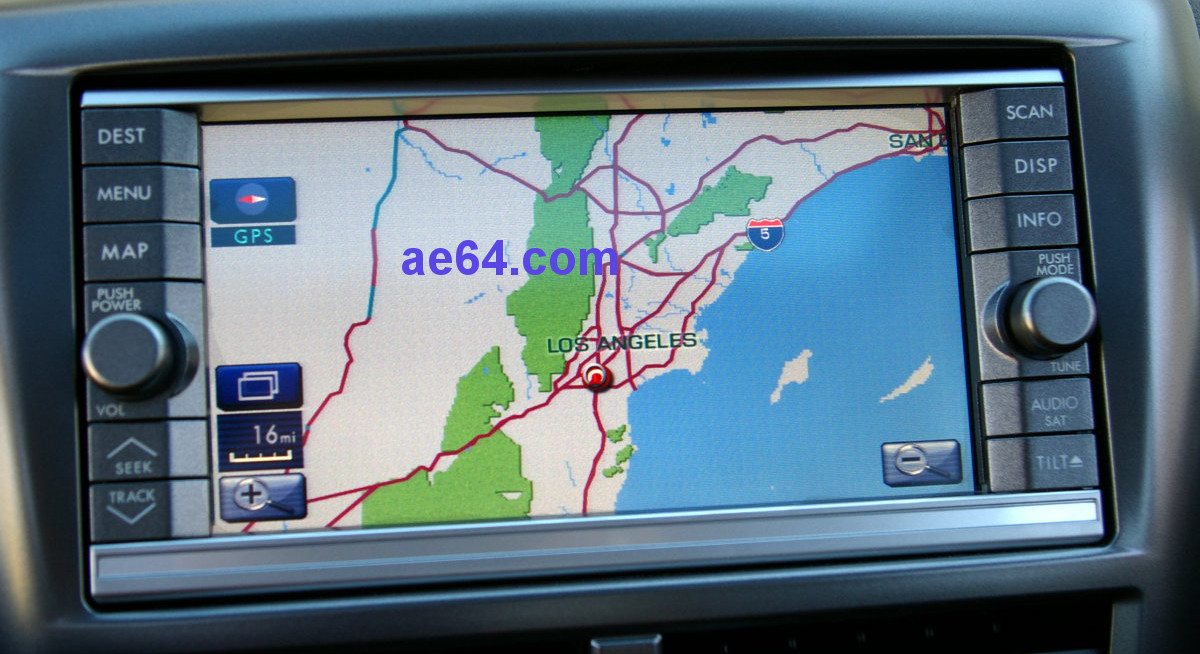
OverviewThe above OEM navigation head unit made by Kenwood first appeared in 2008 Impreza and Forester models. They were offered in models up to 2011 (and some 2012s). For owners of cars with non-navigation OEM HUs, "transplanting" (retrofitting) these nav HUs has been a popular upgrade. The best candidates for the transplant installation are car models with CAN data bus and the older-style audio steering wheel controls (SWCs) — those with 6 audio buttons, no phone/Bluetooth buttons. These include:
Some 2011–up models got base-level HUs (similar to those in 2010) and would also work well. However, most models starting in 2011 received newer HUs with built-in Bluetooth and USB. Installing the Kenwood Navi into those cars is possible, but you'll run into some complications that you'll need to deal with (see "SWC" and "USB" notes, towards the end of this guide). The following newer models/years dropped the CAN data bus from the radio, and thus are poorer candidates for the Kenwood Navi (even cars with base-level HUs that don't have phone/BT SWCs):
Similarly, older Impreza/WRX/STi models up to 2007 and Forester through 2008 do not have a compatible CAN bus. Without CAN bus, navigation will still work (and all of the audio/video functions, of course), but many of the HU's car data features won't be available. For details, see Subaru's owner's manuals. The navigation manuals are supplements (separate from) the general manuals for the car. Find the OEM Kenwood Navi manuals from applicable models/years. For newer cars with the phone/BT
buttons and USB, you may be happier with the newer OEM Fujitsu Ten
navigation. See this page. Basic transplant harness configurationThe basic configuration for the OEM Kenwood Navi is pictured at the top of this page, and consists of:
I had factories make several of the components I use to build the harnesses, including the 20-to-14 pin assembly. All of the wires have terminals directly crimped onto the ends (no soldered joints). All of the optional RCA cables have larger (and sturdier) wires than the tiny, fragile core wires that you'll find in most other RCA cables out there. Price for the basic transplant harness is $35. Separate 24-pin reverse Navi harnessFor installation into an older Impreza or Forester (which already have the 14-pin radio harness for power and speakers), I can provide the 24-pin reverse harness separately. Note that the face of the Navi HU is larger than the standard double-DIN size dash opening in those older models — you will have to make a significant modification to your dash fascia. Price for the base version of the 24-pin harness (without SWC, CAN, or any A/V input/output wires) is $21. For a custom version of the 24-pin harness for other applications (different cars and/or HUs), e-mail me details of what you would like to do. I'll want to see a factory diagram (pin-out and/or wiring diagram) for the car or HU. Additional Options for A/V Inputs and OutputsThe OEM Kenwood Navi has these audio and video inputs and outputs:
In cars where the Navi was installed by the factory, the aux audio and video inputs are connected to 3 female A/V RCA jacks in the center console. You may order the basic transplant harness or separate Navi reverse 24-pin harness with any of the following additions. Choose one configuration from box "A", and optionally add choices from boxes "B", "C", and "D". Choose carefully! Although it's possible to extract the A/V wires to switch to a different configuration down the road, many people find that difficult to do (so you may end up needing to send the harness back to me for the change). Also optionally add the 8-pin rear camera harness ("E"). All prices are subject to change at any time.
All harnesses are built to order. If you want something a little different, tell me what you would like to do. Not entirely plug-and-playWhile the basic transplant harness takes care of most of the connections between your car and the Navi HU, you will need to connect at least two of the wires on the 24-pin harness. These signals are not available behind your HU, so you will need to find and tap them elsewhere under the dash:
See my installation instructions for details (link below). Audio Steering Wheel Controls (SWCs)All of the OEM Kenwood Navi HUs require the older-style steering wheel controls (with only 6 audio functions — volume up/down, track up/down, mode, and mute). If you have a 2008–up
Impreza/WRX/STi or 2009–up Forester with no SWCs, your car is
pre-wired from the wheel to the radio harness. Installing the OEM
SWC "pod" in place of the blank panel is not too difficult. See this post. If your Impreza or Forester is a 2011 or later model with the phone/Bluetooth buttons (off-hook, on-hook, and talk), none of your SWC buttons will work with the Navi HU — not even the volume, tune, and mode buttons! The reason is because the SWC buttons have completely different resistor values than those in the older models. The easiest solution is to downgrade to the SWC buttons used on 2011–2012 models with the OEM Kenwood Navi. This swap is plug-and-play inside your steering wheel, and will work with my standard transplant harness (no special modifications needed). Alternatively, you could build your own custom device to interface between your car's SWCs and the Navi HU. I'm not aware of any off-the-shelf steering wheel interface modules that will talk to the OEM Navi HU. If you decide to try this approach, you should ask me to build the harness with the SWC wires broken out — with 3 on the 20-pin harness and 2 on the 24-pin harness. Microphone socket (for Bluetooth handsfree call operation)Unfortunately, I don't yet have a connector that fits the Navi's 5-pin Bluetooth microphone socket. For 2008–2009 Navi HU models, you can order the OEM microphone from a local or online Subaru parts dealer (part number H0018FG300, $125 list, or just under $100 online). You might search for the Kenwood KNA-VC300 microphone, which has the correct 5-pin plug (and is nearly plug-and-play — you'll just need to add a new pin/wire or relocate one of the existing pins). Or see this post for do-it-yourself instructions. If your Navi HU came from a 2010 or later Impreza or Forester, you will need to retrofit the corresponding OEM amplified mic module (located in the map light cluster). You must use the mic from a car that had the 2010–up Kenwood Navi factory-installed. Although non-nav 2011–up models have a similar map light mic, a mic from a non-nav car will not work! Alternatively, design a mic and amp circuit equivalent to the OEM module. No Bluetooth Audio StreamingThe Impreza and Forester OEM Kenwood Navi HUs do not do Bluetooth audio streaming. They only use BT for phone calls. No USBThe Impreza and Forester OEM Kenwood Navi HUs do not have USB capability built-in. So if your car has the factory USB socket next to the aux jack in your armrest center console, there is nowhere on the back of the Navi to connect that USB socket. Subaru offers an accessory called the "Media Hub." The kit consists of an interface module (which plugs into the 20-pin expansion bus port on the rear of the Navi), and a replacement aux "pod" for your armrest console. The new pod has an aux jack like what you had before, but also ads a USB socket. Navi HUs in 2011 car models were the earliest that were compatible with the Media Hub. See Subaru's page with information and FAQs. You should be able to order the kit from local dealers and online Subaru parts vendors, and often you'll also find them on eBay. Tell me if you plan to add that — I'll have additional tips. Prior to the Media Hub, Subaru offered an iPod interface that worked the same way, providing a cable with a 30-pin iPod dock plug, This kit was compatible with 2008–up Navi models. However, search for reviews before you buy either of those. AM / FM Antenna socketWhen it hasn't been cut off, the Navi HU has Subaru's proprietary antenna connector (with a square, gray plastic shell and a tiny coax antenna cable). If your Impreza or Forester has the older-style, round Motorola plug, follow that cable back into your dash. Most 2008 and later models actually have Subaru's proprietary antenna plug, along with an OEM adapter to convert to the Motorola plug, Approximately 6 to 8 inches (15 to 20 cm) back from the Motorola plug, you should fund a junction of square, gray connectors (probably wrapped in a small square sheet of foam rubber). There is a release button on one side of the car's plug. Caution: Do not pull the coax antenna cables! The wires are somewhat fragile, and people have accidentally ripped them out of the crimped ends (or even out of the HU). If your car is an older model that does not have Subaru's antenna plug, you'll need a reverse antenna adapter (picture). I have those for $10. GPS AntennaThe Navi HU does require a GPS antenna for nav functions. The OEM GPS antenna is factory installed only on cars that have the OEM Navi HU. I do not have any for sale. If you opt to order an OEM antenna, it consists of two parts: The GPS antenna (with mounting bracket and a short "pigtail" cable), and a separate extension cable to reach the rear of the HU. Check with your Subaru parts vendor for the part numbers. UPDATED: If you buy an aftermarket GPS antenna, it must have an Eclipse-style plug. Here's one on eBay from a vendor in the US, with a good picture of the plug (I don't know anything about that vendor or the reliability of their antennas). I have seen antennas with the same plug from other vendors in Hong Kong. GPS antennas for some aftermarket Kenwood HUs have a plug with electrical contacts that will match the Navi's socket, but you will need to shave off a little bit of plastic from the plug. Map and Software DiscsI do not have any discs. The latest maps can be purchased from Kenwood, here: http://store.kenwoodusa.com/catalog.php?cat_id=S19 The same map discs are used by 2008–up Impreza, 2009–up Forester, and 2010–up Legacy/Outback. A Navi HU that has somehow been completely reset may require that you initially load software from a different DVD. See this post. Ask your local dealer — they may have a software disc that they will let you load while you're there. Additional information and considerationsSee my Subaru 24-pin Navi harness pin-out table for more information about the factory wires. See this post for compatibility issues between old (2008–2010) and 2011 cars and Navi HUs. Also see my installation instructions. Click here to see ordering instructionsNot sure what you need? Please e-mail me before ordering.Tell me your car's model and year, the model number printed on the front of the OEM HU that Subaru originally fitted in your car, and (if you've already obtained one), the Kenwood model number of the Navi HU (usually starts with FXD...). |